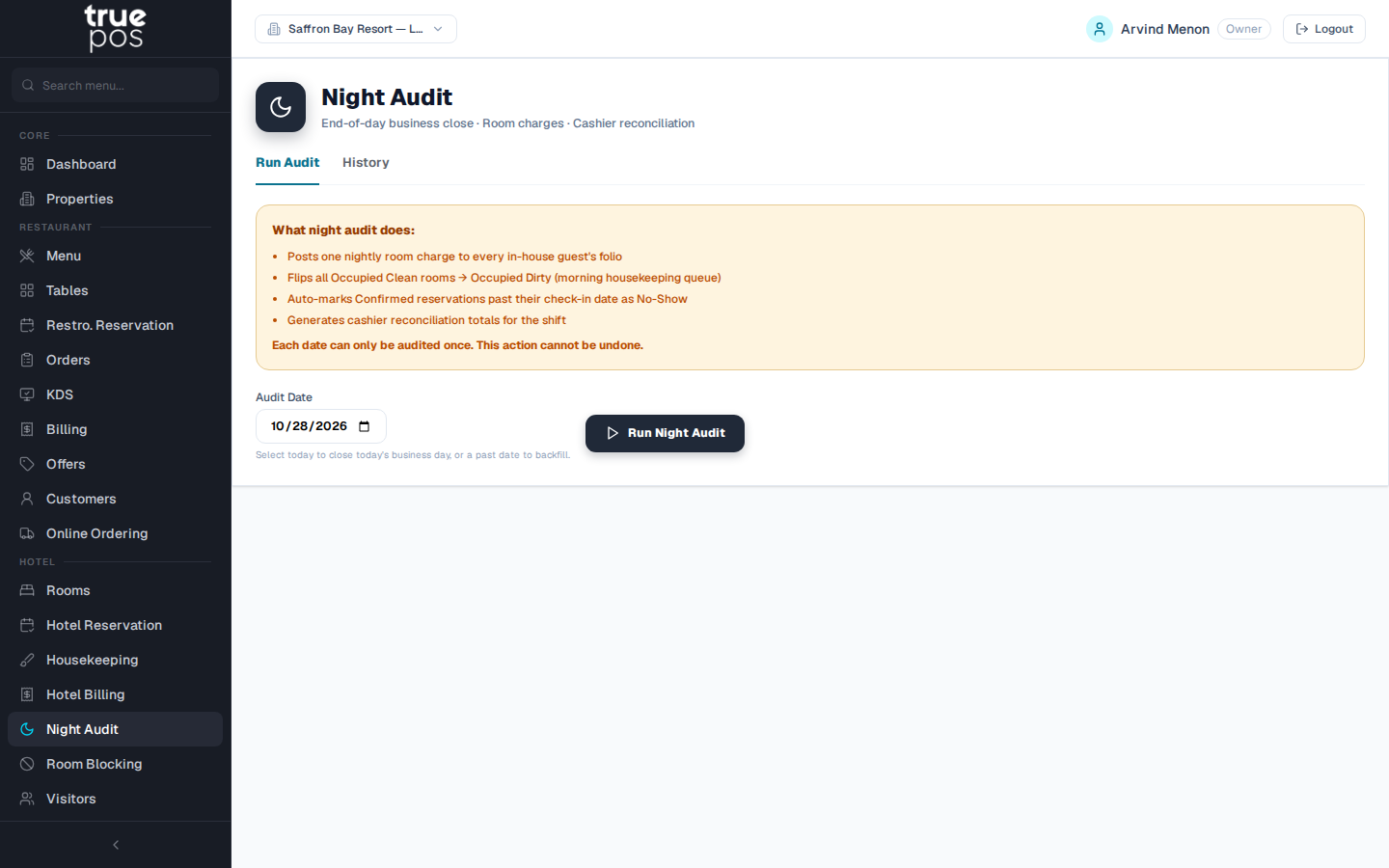
What the night audit does
Run the night audit once at the end of every business day. In one step it:
- Posts one night's room charge to every in-house guest's folio.
- Moves every Occupied Clean room to Occupied Dirty, so it appears in the morning housekeeping queue.
- Marks as No-Show any Confirmed reservation whose check-in date has passed without the guest arriving.
- Produces the cashier reconciliation: the day's totals for checking against the cash drawer.
Important: Each date can be audited only once, and an audit can't be undone. Check that the day's check-ins, check-outs and payments are entered before you run it.
Running the audit
- Go to Night Audit.
- Choose the Audit Date. Select today to close today's business day, or a past date to catch up on a day that was missed. You can't audit a future date.
- Click Run Night Audit.
When it finishes, you'll see Night audit complete — N room charges posted, followed by a summary.
Reading the results
| Figure | Meaning |
|---|---|
| Room Charges Posted | How many folios received a night's room charge |
| Room Revenue (pre-tax) | Room income for the night, before GST |
| GST Collected | Tax on those room charges |
| Rooms → OD (HK queue) | Rooms moved to Occupied Dirty for housekeeping |
| No-Shows Marked | Bookings marked as no-shows |
| Payments Received | Payments taken during the day |
The Cashier Reconciliation table lists every guest charged, with their Room, Rate, GST% and the Grand Total.
Audit history
The Audit History list shows every past audit. Click Export CSV to download the results for your accountant.